

How to Add a New Number to WhatsApp Business API: Step-by-Step Guide
Adding a new number to the WhatsApp Business API (WABA) allows businesses to manage customer conversations, automate messaging, and run WhatsApp campaigns.
Follow these steps to register a new number.
Prerequisites
- Facebook account with access to Meta Business Portfolio
- New phone number that can receive an OTP
- Business website and details
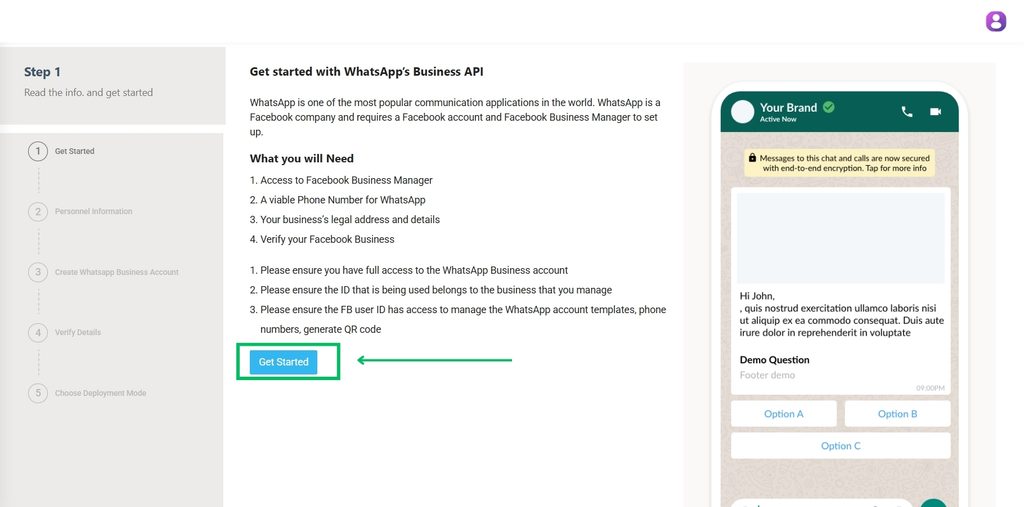
Step 1: Start Registration
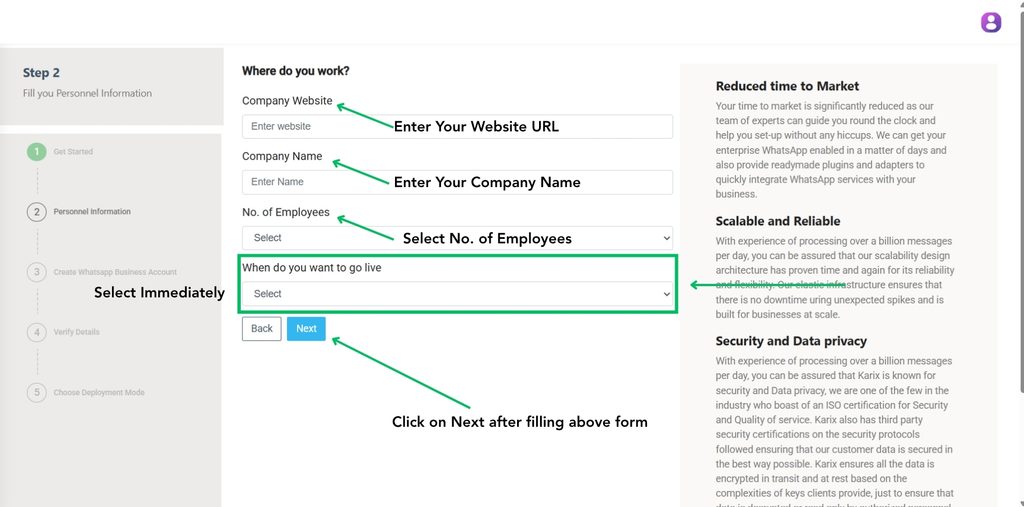
Step 2: Enter Business Details
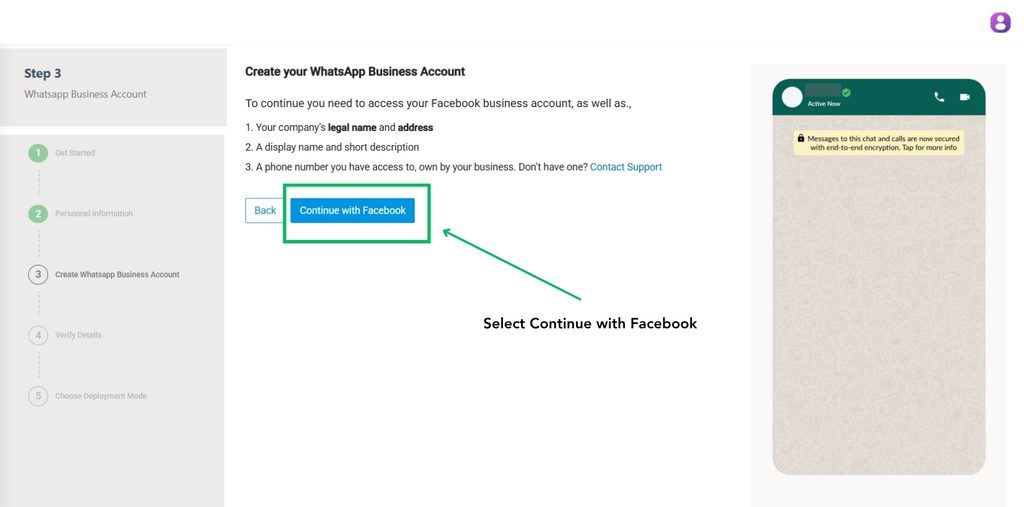
Step 3: Connect Facebook
Click Continue with Facebook and log in to your Facebook account.
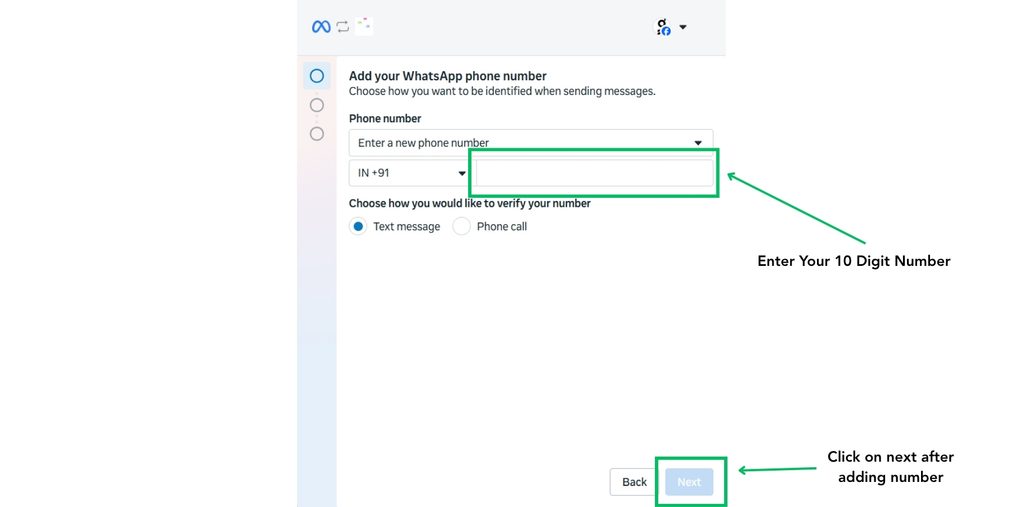
Step 4: Add Your Number
Select the country code and enter the new phone number you want to register.
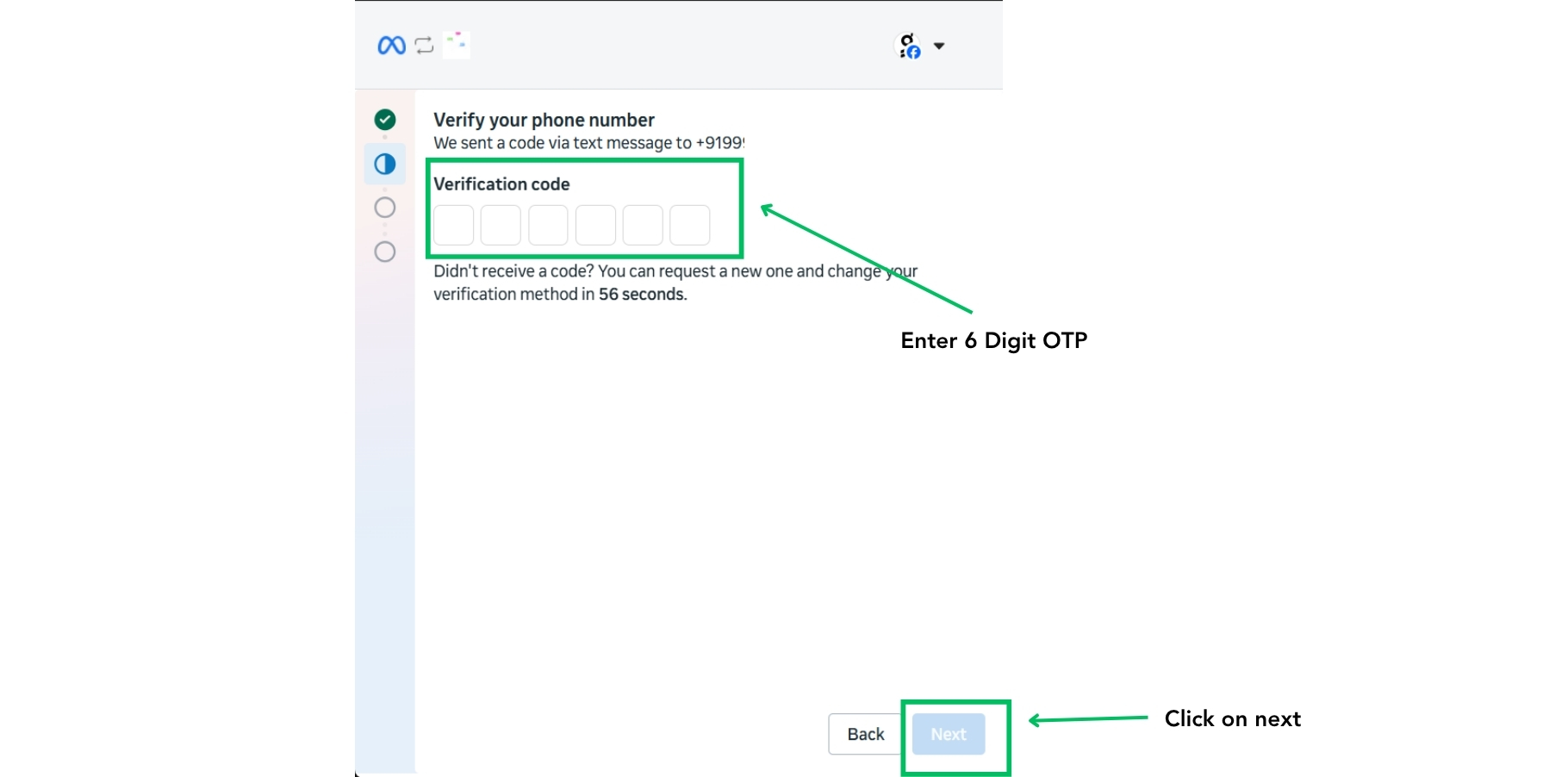
Step 5: Verify OTP
Choose SMS or call verification, enter the OTP received, and confirm your number.
Step 6: Verify Business Details
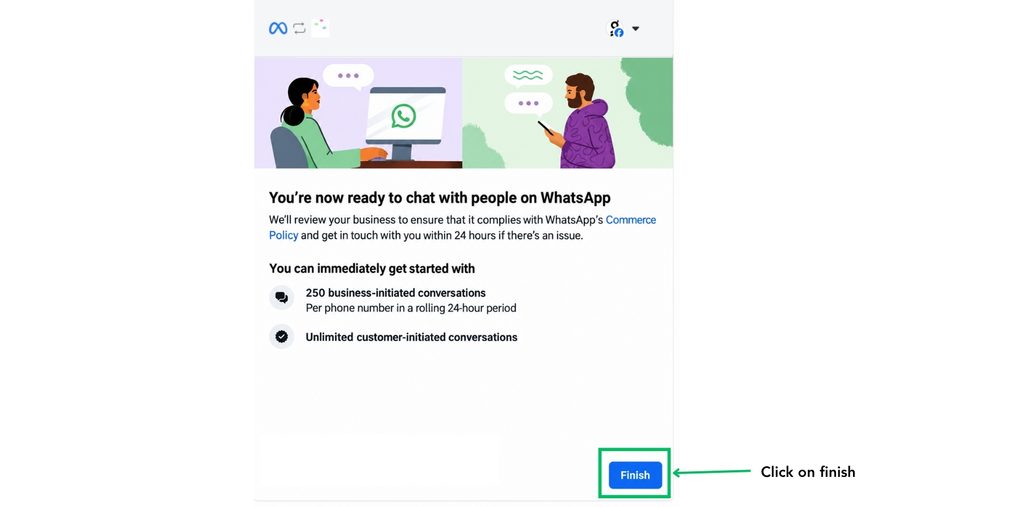
Review your business information and confirm that all details are correct. Click on Finish.
Conclusion
By following these steps, you can register a new phone number with WhatsApp Business API and prepare it for business messaging, automation, and customer support.